Bureauflow
A bureau desk for your camera bag.
Filed before you've packed up the tripod.
Bureauflow pulls frames off an FTP server, a camera card or a watched folder the moment they land, lets you cull them full screen, gets a caption and a quick edit on them, and sends them to the desk — one Mac, no phone required, and your originals never touched.
CARD TO WIRE · OZ LLC
The wire has three feeds in.
§1 — INGESTFTP Pull
Your camera uploads to an FTP server from the field; Bureauflow logs in, watches it, and downloads each new frame as it lands — checked for completeness, never overwriting one already in, and with a camera's voice memo paired to its photo.
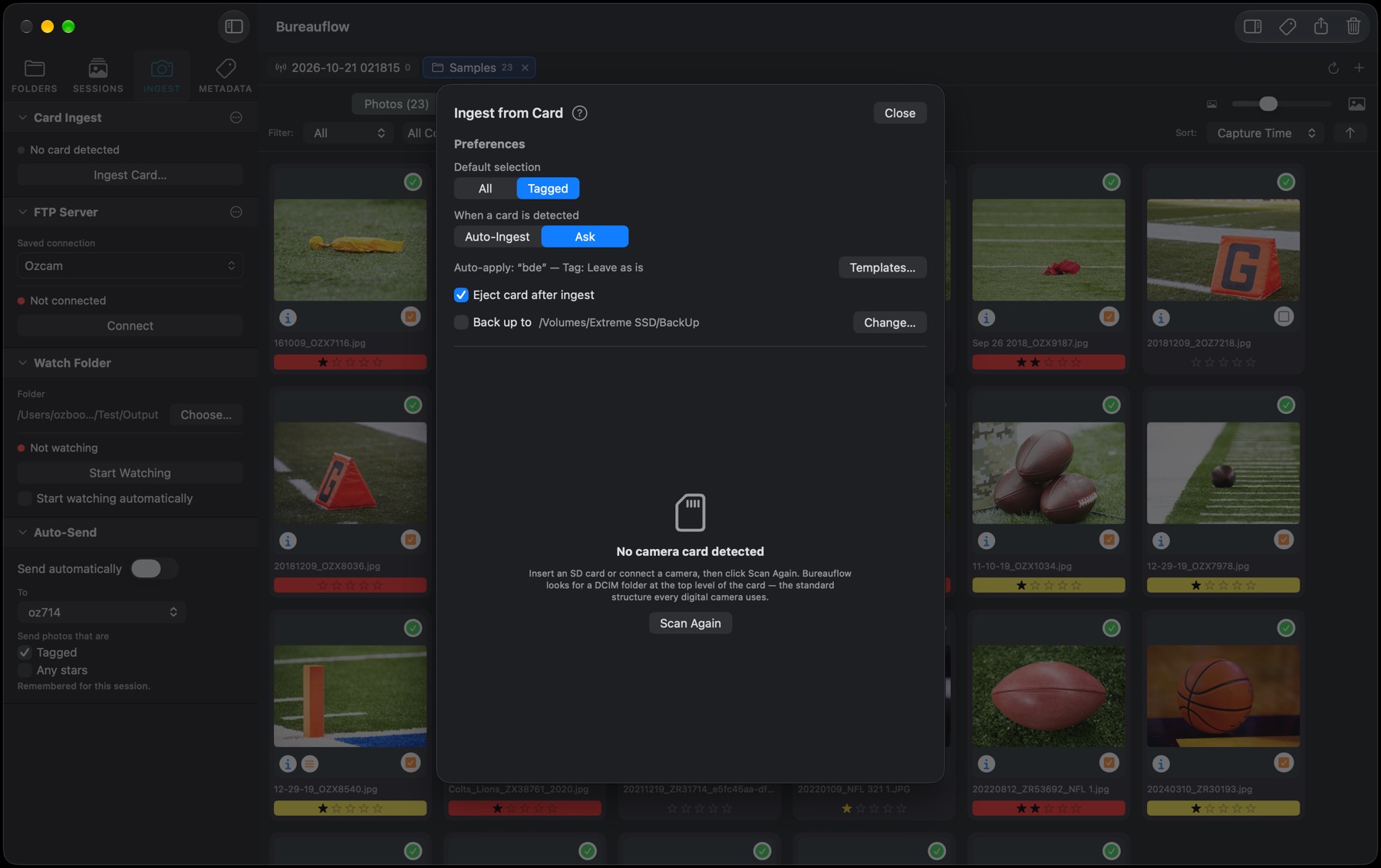
Card Ingest
Put a card in. Bureauflow finds it, shows what's new and what you protected in camera, and brings frames in as fast as the card can be read — writing a second, untouched copy to a backup drive at the same time if you want one, and ejecting the card only once both are done. Or browse the card in place and copy just the frames you tag. Originals are always copied, never moved.
Watch Folder
Point it at any folder and it ingests whatever lands there — a tethering utility, a second Mac on the network, anything that can write a file to disk.
Rename on Ingest
Frames come in already named the way the desk wants them — date, job and frame number, from a pattern you set — so nothing needs renaming before it goes.
A Session per Shoot
Each shoot gets its own session folder: what came in, what went out, the exact copy of any edited frame that was sent, and the untouched original of anything you opened in another app. Reopen yesterday's game in its own tab next to today's.
Voice Tags to Text
Speak the caption into the camera. Bureauflow plays the voice memo back and transcribes it on the Mac — the audio never leaves it — ready to drop into the caption with a click.
Cull it like a contact sheet.
§2 — THE DESK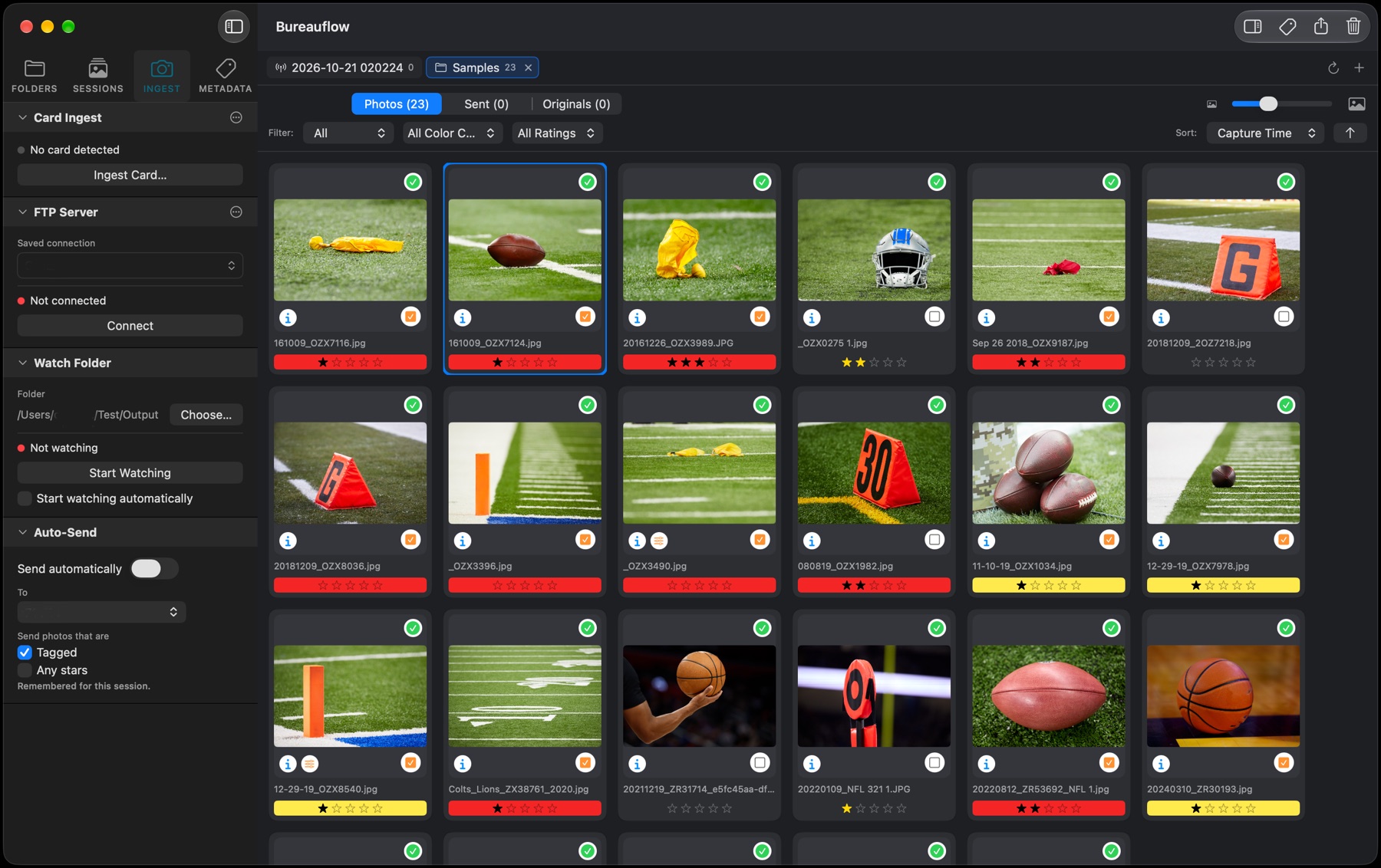
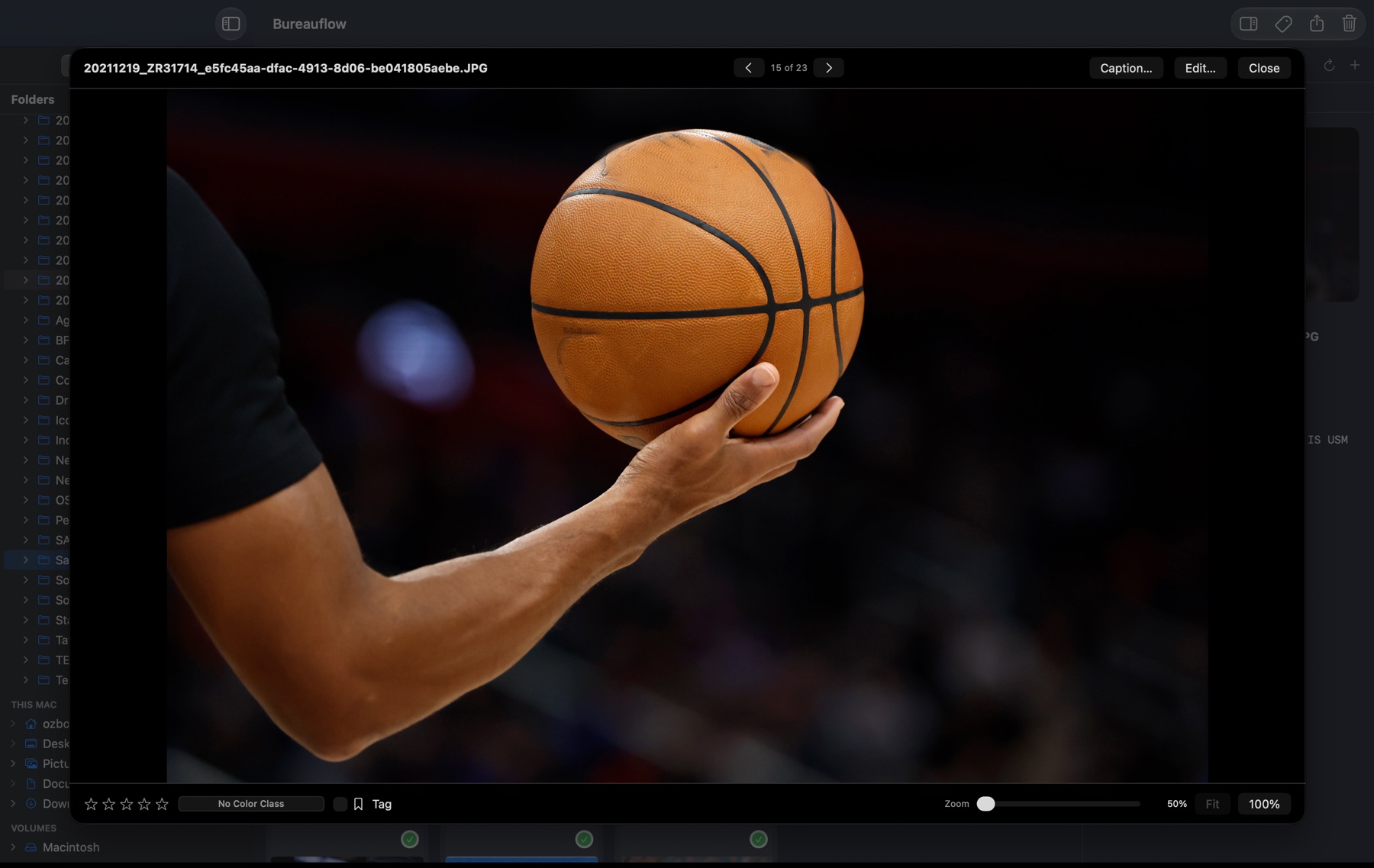
Full screen, no waiting. Double-click a frame and it opens large straight away — even a RAW, using the full-size picture the camera already stored inside it. Zoom to 100% with a double-click or a pinch, and arrow through the shoot.
Stars, color classes and tags that travel. Ratings, eight color classes and the tag are saved in the photo in the standard way photo-workflow apps read them, so they show up in your other software and survive the trip to the desk. Sort and filter the grid by any of them, in either direction.
A sidebar that stays out of the way. Folders, Sessions, Ingest and Metadata each have their own tab. Browse any folder, drive or card and open it in a tab beside the live session, with your favorite folders a click away.
Quality control on arrival. Frames shot too slow or at too high an ISO for your taste are flagged the moment they land, before they reach a caption. The ones you don't want go to the Trash with the Delete key, from the grid or full screen.
Caption on the way through.
§3 — METADATATemplates on Ingest
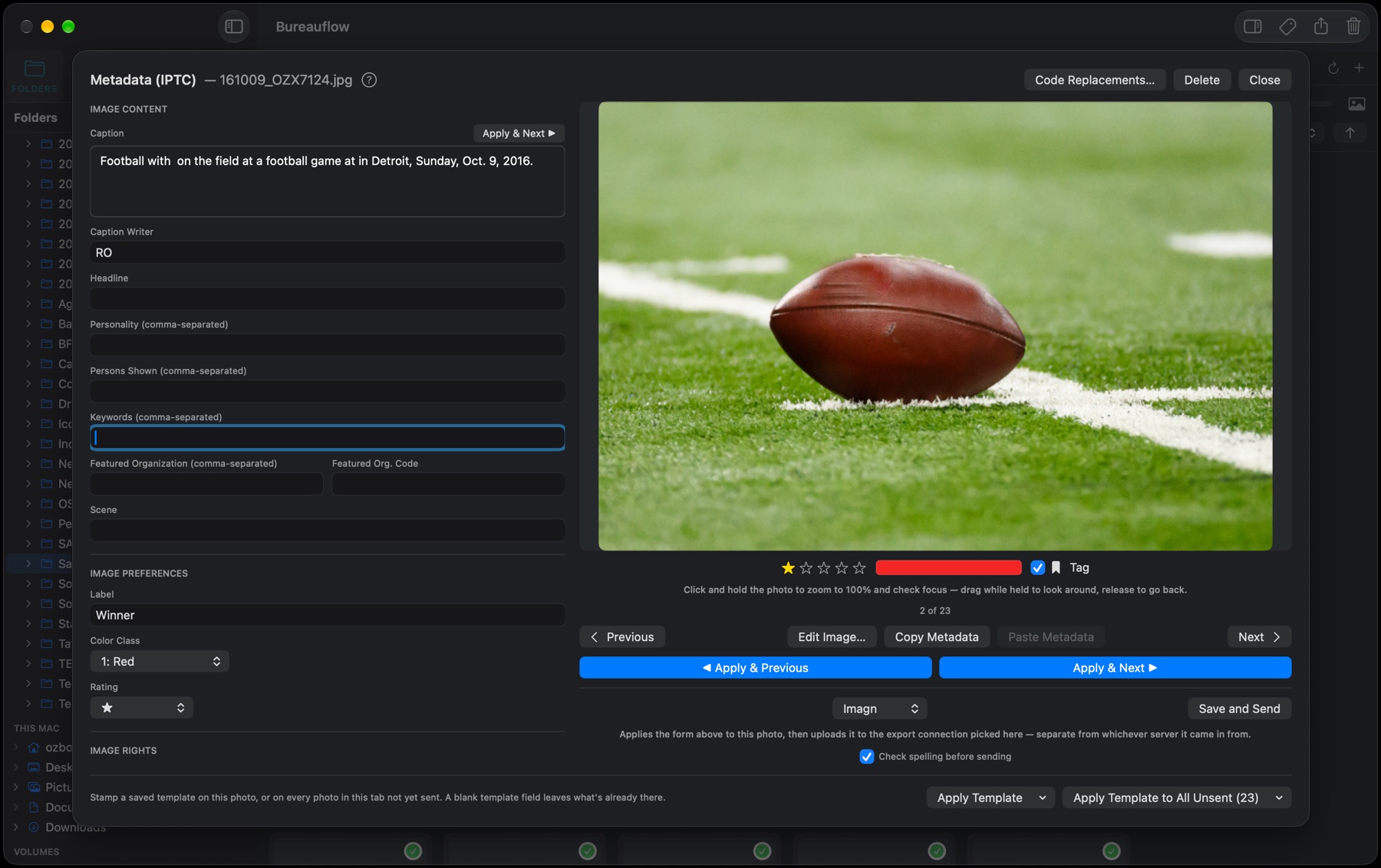
A template stamps byline, credit, copyright and the rest on every frame as it arrives — one per camera body if you shoot two, picked by serial number. Apply one to a selection, or to every frame not yet sent.
Code Replacement
Shortcuts for the names and phrases you type all game long, in sets you can switch on and off. Variables fill in the date, the lens, the shutter speed — and say "[no lens]" rather than leave a hole.
Written Into the File
IPTC and XMP go straight into JPEG, TIFF, PNG and HEIC — the picture never re-compressed, the camera's own data left exactly as it was — and into an .xmp sidecar beside a RAW. Copy and paste a caption from one frame to the next.
Hands on the Keyboard
⌘↩ saves the caption and moves to the next frame without leaving the field; ⇧⌘↩ goes back, ⌥⌘↩ saves and sends. Captioning a run of frames never needs the mouse.
Spell Check
Caption, headline and title are checked as you type, without flagging the names in your code-replacement sets. Turn on a check before sending and a typo can't reach the desk unnoticed.
Protected Means Picked
Frames you locked in the camera arrive already tagged, so the picks you made with the body in your hand are the first ones you caption.
A quick edit, never on the original.
§4 — EDIT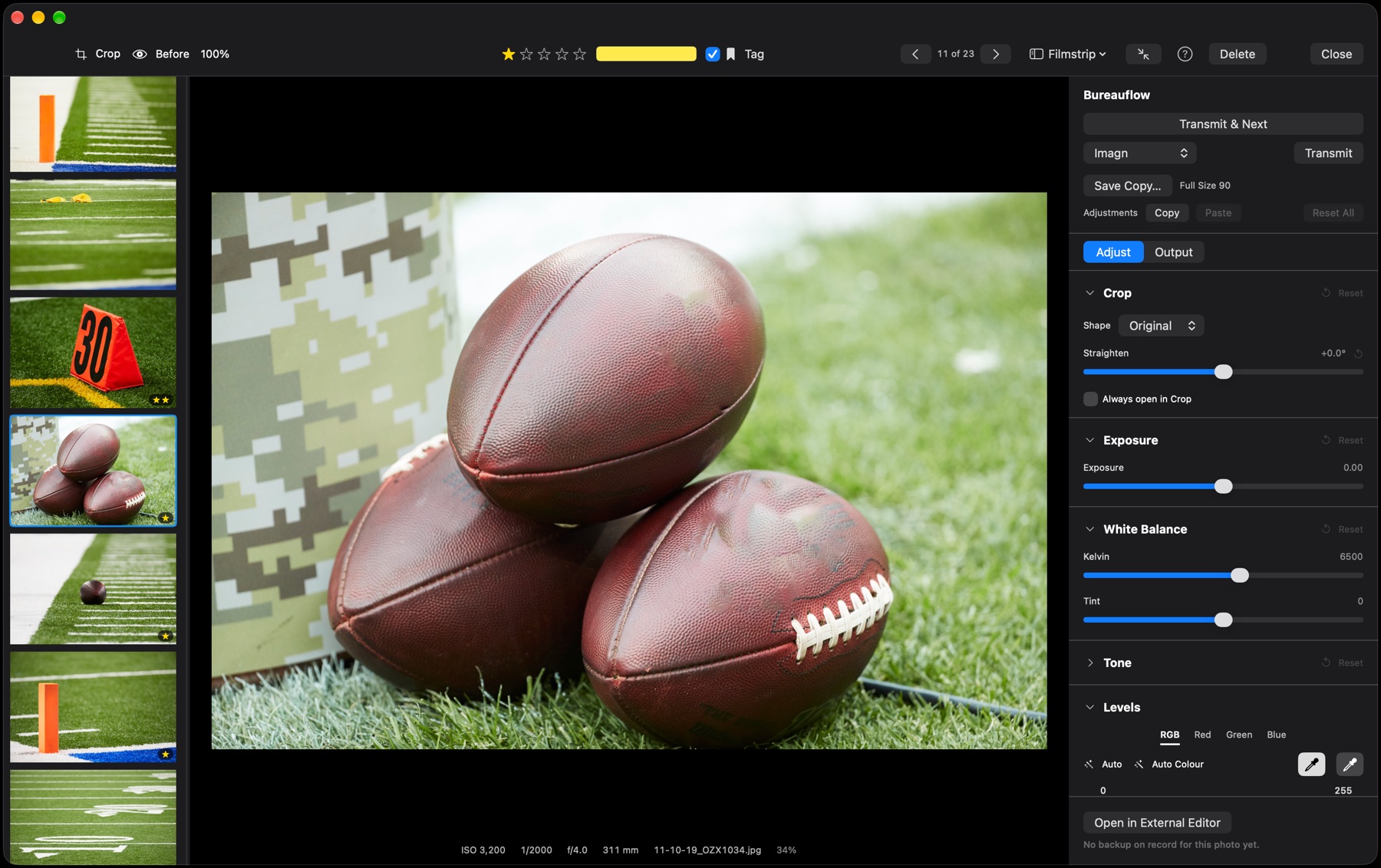
The adjustments a deadline needs. Exposure, white balance, highlights, shadows and contrast, Levels with black and white eyedroppers, and RGB curves — with a before view, and the edit copied from one frame and pasted onto the rest.
Crop by dragging. Drag anywhere on the frame to draw a crop; pull down for a vertical, across for a horizontal, in the shape you've chosen. Drag just outside the box to straighten against a grid. The readout shows the exact pixels the desk will get.
A window as big as you want. The edit window fills the screen with one click and keeps a filmstrip of the shoot beside the frame — make the photo smaller and the thumbnails grow. One key switches back to the grid.
Your files stay as shot. Edits are kept beside the photo and applied only to the copy that's sent. Need Photoshop? Open the frame in it; Bureauflow keeps the untouched original, picks up the change when you save, and can bring the original back as a fresh frame to edit and send again.
Send without a second trip.
§5 — TRANSMITTransmit, or Transmit & Next. Send the frame on screen to any saved FTP destination and move straight on to the next unsent one — or select a run in the grid and export the lot. A RAW or an edited frame goes out as a JPEG with every caption field inside.
Each desk gets its size. Output recipes set JPEG quality, size and colour, and each destination can have its own — full size to one agency, a long edge of 2048 to another, without thinking about it. Save Copy writes the same recipes to disk.
Auto-Send. Choose a destination and which frames count — the ones you tag, or any you star — and they go to the desk by themselves once captioned. Tagging a frame in the grid starts a five-second countdown you can cancel.
Encrypted when the server allows. FTPS (explicit, AUTH TLS) encrypts the login and every frame, pulling and sending, and never falls back to plain FTP on its own. Sent frames wear a paper plane in the grid, and the first send of each session asks which desk you mean, once.
Equipment manifest.
§6 — SPECS- PLATFORM
- macOS 14 (Sonoma) or later
- BUILT FOR
- Apple Silicon
- FILES
- JPEG, HEIC, TIFF, PNG and camera RAW (Canon, Nikon, Sony, Fujifilm, DNG and more)
- METADATA
- IPTC/XMP written losslessly into the file, .xmp sidecars for RAW; stars, color classes and tags in the standard photo-workflow format
- TRANSFER
- Native FTP and FTPS (explicit, AUTH TLS) client, pull and push — no cloud relay in between
- OUTPUT
- Output recipes for JPEG quality, size and colour, per destination or for saved copies
- BACKUP
- Optional second copy of every card to another drive during ingest; originals of anything opened in another app kept untouched
- PRIVACY
- Collects nothing, tracks nothing; voice tags transcribed on the Mac, never sent anywhere
- SECURITY
- Runs in the macOS App Sandbox — asks once before reading each card or folder outside Pictures; passwords kept in the Keychain
- HELP
- Built-in, searchable Help, with a ? in the main windows that opens the right page
- DISTRIBUTION
- TestFlight beta now; the Mac App Store to follow
- STATUS
- Version 1.0 beta — built first for one photographer's own deadline
Get on the distribution list.
§7 — ACCESSBureauflow 1.0 is in beta through Apple's TestFlight, ahead of the Mac App Store. If you shoot events, sports or editorial and want to try it against your own workflow, send a line and you'll get a TestFlight invitation — screenshots and a real deadline story are the most useful things to send back.