WireRelay Mac

Camera to Mac,
over a cable.

WireRelay Mac turns your MacBook into a receiving server for your camera. Photos arrive over Ethernet and land in the folder you choose, ready for your editing app. Your Mac keeps its internet over Wi-Fi.

Coming to the Mac App Store · Free 7-day trial, then $19.99 once · Apple silicon · macOS 15 or later
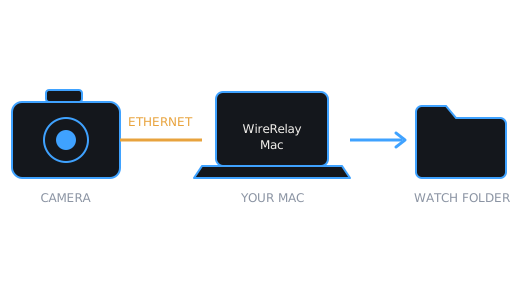
Diagram: camera connects to a Mac over Ethernet, and photos are saved to a watch folder

Your cable, not the venue's network

A direct cable between your camera and your Mac doesn't depend on venue Wi-Fi at all. Each photo appears in your folder only once it has fully arrived, so the app watching that folder never picks up half a file.

How it works

01

Plug in

Connect the camera to your Mac with an Ethernet cable and a USB-C Ethernet adapter, directly or through a simple switch.

02

Set up once

The built-in guide gives you the exact values to enter on your Mac and in your camera.

03

Shoot

Send photos from the camera. They land in your watch folder and show up in the app's Received list.

Built for the field

FTP & SFTP
Receive by FTP, or by SFTP when you want the password and photos encrypted.
COMPLETE FILES ONLY
If a transfer is cut off, the partial file is removed. Send it again and it arrives whole.
NOTHING OVERWRITTEN
If a name is already taken, the new file gets a number, such as IMG_1234-1.CR3.
UNPLUG AND REPLUG
The server comes back on its own when the cable returns, and warns you if your Mac's address changes.
NO ACCOUNT, NO CLOUD
No sign-up and no Oz LLC servers. WireRelay Mac doesn't send your photos to the internet.

Two ways to connect

Exact setup steps are in the app's built-in guide and on the Support page.

Direct Cable

The dependable choice. WireRelay Mac listens only on your wired adapter, and the venue's network plays no part.

Network mode

For a camera on the same network as your Mac. It's off until you turn it on, and it can't work on every network, so test it at the venue first.

Need to send photos on from your phone?

WireRelay for iPhone and iPad relays each photo from your camera to your FTP destination over cellular or Wi-Fi.